" "

Limiting Holiday WIP with Personal Kanban

derek's pk 2

I’m asked on a regular basis how Agile or Lean practices can be applied during the holidays. Let’s face it, we have a limited amount of time and todo lists as long as our arms. Truth be told, people have limited success using the ever-growing todo list. You either forget your list at home, you take on too much at one time, or you forget why some of the items on your list just aren’t getting done.

Several years ago, I found the answer to my “get stuff done” problem and it is known as Personal Kanban. "Personal Kanban borrows from several Lean principles and practices. With just two simple acts – visualizing work and limiting work in progress – Personal Kanban gives us clarity over our work and our goals, and the unprecedented ability to deal with distractions, manage expectations, make better decisions, and ultimately find a healthy balance between our professional, personal, and social lives." – See more

Using Personal Kanban

I’ve leveraged Kanban for Agile Teams with great success. But I used a physical board, complete with sticky notes and painters tape. I also had a small board in my office, for personal stuff. Unfortunately, the more I traveled for work, the less physical boards worked.

I always seem to have my laptop or phone with me but I didn’t always have a wall to apply sticky notes. What is an Agile coach to do? Of course, in this digital age, there are several inexpensive solutions. I use LeanKit. It works on the web, phones, and tablets. Everything is synced all the time.

There are other solutions out there but this has worked for me (and my family) for quite a while.Here is the 50,000 foot view of how it works. On a surface that is in plain view all the time, visualize your workflow. It could be as simple as To Do, WIP (work in process), and Done.

Being this is personal, label the columns anything you want. Identify what you need to get done on cards. I like the title to be actionable (Call, Find, Do, Finish, Get…). I then color code the cards so I know if it is for work or not. Let’s say you are traveling during the holidays: “Pack clothes, book hotel room, reserve rental car, get boarding pass”. Use specific card colors and you’ll know at a glance if you forgot to do something.

Limit the stuff you work on at any given time. If you haven’t discovered it yet, multitasking is a big lie. You don’t get more done! You just keep really busy. Focus on getting stuff done, not starting more stuff. Don’t exceed WIP limits in a column. If there is no room for a card in a column without exceeding a self-imposed WIP limit, you do not pull a card into the column! This is important. By limiting what we agree to start, we will in turn finish a lot more.

Personal KanbanKanban Cards

Here are the cards for my “Holiday” Personal Kanban. My board doesn’t go away after January 1. It just focuses on other stuff. The yellow cards are going to drop off after New Years. I left them on the board so you could see how we can have three groups on a board and it still have clarity. Colors of cards are optional. I use every visual queue I can, including blocked and high priority indicators.

Red cards – Christmas and my birthday

Orange cards – LeadingAgile (work)

Yellow cards – ChanukahReady

I keep a backlog of stuff that isn’t “ready” for me to work on so I don’t even include those on my board. Even after having the highest priority cards appear at the top of the board, having too many cards on your board can paralyze you with choices. I only add cards to my ready column, if they have limited dependencies and are ready to complete within the next few weeks.

WIP (Work in Process)

One of the secrets of a pull system is you only work on things you actually have capacity to work on. When you have capacity in the next step of your workflow, you can pull work into that step. Limit the amount of stuff that you’re working on at any given time and I can pretty much guarantee you’ll get more done.

Personally, I know that I can only deal with three things at a time before things start to get dropped. Know your personal limits and set them accordingly. If you’re working on something and you get blocked, don’t pull in more work.

Add a visual indicator that indicates the item is blocked. and continue pulling working through to done. Once you unblock the work, you can pull it the rest of the way through your system.

Focus

I’m a strange combination of a little OCD, a little ADHD, a lot of grit, and a lot of drive. I need a focus column. If I walk away from my desk, read an email, or get a cup of coffee, I can pretty much guaranteed to forget what I was working on. The focus column is my visual reminder of that one thing I’m trying to focus on right now. Notice the image of my personal kanban above that I’m trying to wrap up this blog post. Everything else can wait. I need to get this done!

Done

Ah yes, the done column. It is where all work needs to go. When I look at it, it makes me feel pretty darn good. We all feel busy but we commonly ask ourselves if we’ve actually gotten anything done. Well, this will show you. I recommend you reflect on what you’ve accomplished, feel good about it, and clear the column on a periodic basis. I do it either once a week or every other week.

Summary

I know this is a lot to put into a single blog post. But if you’re wishing for a more productive and balanced 2014, I would recommend you give this a try. It’s super simple to start and over time, if you’re persistent, you’ll see it will bring more clarity to your work and your goals.If you want to learn more about Personal Kanban, I would recommend you read Personal Kanban by Jim Benson and Tonianne DeMaria Barry. It’s a great read and an awesome gift!
Kidzban Around the Web #3

10042010593

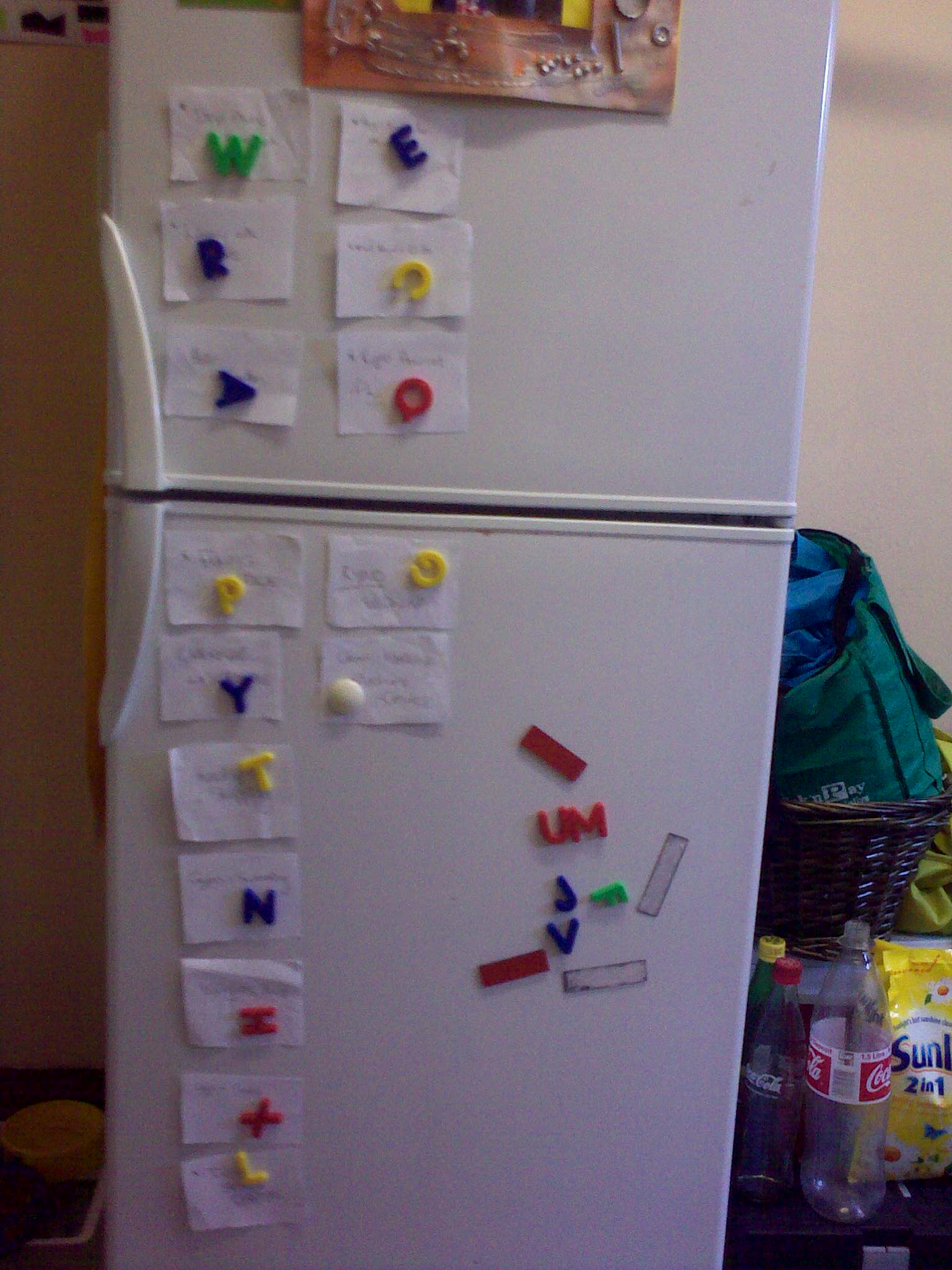
Around the web people are sharing their experiences with Kidzban.  This is the third post in the series – Kidzban Around the Web.Maritza van den Heuvel writes from her Becoming an Agile Family Blog. She has written many posts on her experiences with both kidzban and Personal Kanban.  In her All Aboard post she describes "that there is no 'one size fits all' approach."She has used a kidzban right from her dining table.  She states "The most visible item in our open plan living area is the dining table."She has also used the fridge.  Maritza mentioned in her post "By the next weekend, I’d realised that the object which is most central to our lives is in fact the kitchen fridge. It’s the first thing you see as you walk into the kitchen, and all of us open it at least once in the morning, afternoon and evening. It also came with a ready-made metal surface and a myriad of magnets we could use for our cards."Maritza loves the fridge because "The further beauty of the fridge, is that it has natural boundaries that separate the Backlog (below the line) and Work In Progress (above the line). Work again moves across from the left (Next Up) to the middle (Doing) and eventually to the right (Done)."She even has a portable Kanban that she made out of a folder and pasted a poster board to. "So far, the mobile board has been my biggest breakthrough in personal productivity using Personal Kanban."Maritza has created truly innovative kidzbans with her family.  Her Teaching Kids Timekeeping with Kanban is one example.  She states "I had been toying with the idea of a non-linear kanban for over a year."  Her kids loved Harry Potter and "were already familiar with the concept of a clock that 'shows where you are' made the format of the clock a no-brainer."

Weasley Kidzban Clock

Maritza mentions how easy it was to involve her children in creating the kidzban while making it fun. "All you have to do is look around at what you have and use it creatively while involving the kids throughout. We made the clock in an afternoon, with an extra day for the choosing and printing of the photos."  The face was created by using the previous year's cardboard calendar.  Her kids colored the segments, and she wrote the activity names on poster board and her kids cut them out.  They are removable so that they can change easily if activities change or the time changes for activities and her kids chose their own photos to use on the arms of the clock.After using the clock for around a month Maritza concluded, "The kids are certainly having a lot of fun with it so far."  They placed the kanban "strategically" in a highly visual place - at the bottom of their stairs.  "....they have to pass it every time they go up or down. We now also have a new mantra to Check and Change....(the Weasley Clock)."  She also stated her kids are starting to form the habit of changing positions of their avatars and they are enjoying comparing each other's status.Be sure to stop by Maritza's Becoming an Agile Family Blog to read the All Aboard post and Teaching Kids Timekeeping with Kanban post in their entirety. Maritza is also one of the authors of the book Beyond Agile: Tales of Continuous Improvement.Photo 1: CreditPhoto 2: CreditThis is the third post in the series - Kidzban Around the Web. You can read the first post here and the second post here.

Clean Up The DONE Column

post5

You have my word that after this post, there will be no more memegenerator pictures..

How do you know when to clean up your DONE column?When it is full.I mentioned in our first post in this series that we were showing our board to people in classes and on consulting engagements. The DONE column showed that we were really really productive. It was huge. It went on forever. Hundreds of completed tasks.So, how do we clean up our DONE column?

Retrospective

Every Friday we meet and discuss what we’ve been doing and move the tickets from DONE into an archive column. For a physical Personal Kanban, this might be a box or a folder. We discuss what we did and how things went, focusing on areas of improvement.But what happens if you are on the road for four weeks straight and you can’t have a retrospective?This was happening a lot.

Not Everything Needs to be DiscussedRecently we have discovered that focusing on one or two main projects at a time, the retrospectives change considerably. We set up tactical boards for daily work and focus on that work. We are constantly asking ourselves what needs to be done, how our process is working, and what the best thing is to do next.The DONE column still fills up with tasks, but now we understand the nature of these tasks. We are also starting to flag improvement ideas to discuss. We now pull those tasks in real time, as opposed to waiting for a retrospective. So Tonianne might come up with a few improvement tasks and we’ll discuss them the next morning.This frees us up to archive routine or comfortable tasks when the DONE column starts to fill up.This is the fifth post in the series - Are You Just Doing Things.  You can read the previous post here.Written in Mesa, Arizona

Dominant and Secondary Projects

At Modus we now have a posted, dominant project at all times.

Make dominant projects visible

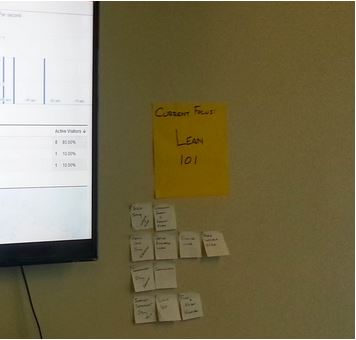
We post it as a large sticky on the wall. This is the banner saying “If you pull something and have any choice whatsoever, pull it from this backlog.”

This giant kanban token conveys our current organizational focus and promotes completion of that project.

Only when something is completed, does Modus receive any value from it.

This is why long projects with cumbersome deliverables are so difficult for companies and the people in them: long projects require long wait times to realize value.

As the anticipation for completion builds and we meet the inevitable disruptions in schedule, we are disappointed. As we are disappointed, our desire to work, our culture, and the quality of our work suffer.

Providing a constant reminder with a visual control, not just at the standup meeting (which is not a visual control), of the day’s focus has helped considerably.

I’ve noticed that Urgent but not Important tasks like answering emails, dealing with texts, and impromptu conversations not only derail us from the task at hand, but also the day’s focus. I’ve witnessed in others and myself that when we’re interrupted, we often don’t go back to what we were working on, but onto another interruption. After an unexpected phone call, we might suddenly find ourselves checking e-mail.

It seems that any break in flow, breaks the flow.

The visual reminder of major focus helps return us to the day’s project.

This is the fourth post in the series - Are You Just Doing Things.  You can read the previous post here.

Written in Mesa, Arizona

Clean Up Your Backlog

post 3

Does your READY column look like a junk drawer?  

Do you have tasks in there that you are holding onto from six months ago that say “Urgent!” (and have since the day they were created)?

Guess what? You’re learning something about your work.

We have a lot of urgent tasks that strangely don’t get done and no one gets hurt.

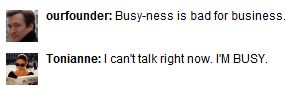
Busy-ness is bad for business

We might miss an opportunity or need to do something different in the future, but we don’t complete a lot of tasks we, ourselves, would describe as urgent.In the first post in this series, I mentioned that at Modus our board had built up an unhealthy backlog. It was gigantic.Why did this happen?1. We’re busy! Tonianne and I were traveling constantly, forming partnerships, coming up with new products, working on existing products, keeping notes about things to blog about, juggling demands from clients, and running a business. We were both constantly adding to the board. So much so, Tonianne at one point created a backlog just for her because she couldn’t find things on the board. Busy-ness was becoming bad for business.

2. No custodian No one was in charge of cleaning out the backlog, so even though we are both focused on the board, we became focused on completion - but not hygiene.

3. Focused on the new work As I mentioned we were focused on completion. We would put new urgent work into the board and do it immediately, while old tasks just got older. We needed to maintain a focus, again, on board hygieneSo what to do?Well, we can either clean them up or work them out.Cleaning I took on the role of custodian and started clearing out old, poorly described, or simply unnecessary.  After that, and the backlog regrooming from the previous post, we were able to see all our work and begin to actually complete. When discussing the board, we now talk about old tickets and why certain tickets are there.Batching If there are tickets that really are important, but haven’t been done, we might suggest a pomodoro or two to focus on completing just those tasks, clean them off the board, and move on.This is important because often tickets that languish are of a certain type. They involve writing tedious emails or calling people on the phone, for example. Batching those up and completing them also is a good way to get them out of the backlog.This is the third post in the series - Are You Just Doing Things.  You can read the previous post here.Written in Mesa, Arizona

" "